

Organizations
Group your sites and members under a single workspace.
An organization is the top-level container in Bloques: every site, member, and GitHub App install belongs to one. Treat it as your team's workspace.
What an organization contains
An organization owns three things:
- Sites. Every site you publish lives under one organization. The organization slug appears in the dashboard URL.
- Members. Everyone with access (Owner, Admin, or Member) belongs to the organization, not to individual sites. See Members and roles.
- One GitHub App installation. The Bloques GitHub App is installed per organization. All sites in the organization publish from repositories that installation can access. See Connect GitHub.
organization
├── sites
├── members
└── one GitHub App installation
Creating an organization
Every account needs an organization before doing anything else. The first one is created during signup. The Quickstart walks through it. To add more later, open the organization switcher in the dashboard and select New organization.
Naming and slug
An organization has a name and a slug. The name is the display label and can be anything up to 256 characters. The slug becomes part of the dashboard URL and follows stricter rules:
- 3 to 256 characters.
- Lowercase letters, numbers, and hyphens.
- Unique across Bloques.
Both the name and slug are editable from the organization settings after creation.
Changing the slug rewrites every dashboard URL for the organization. Bookmarks and saved links to the old slug stop working.
Belonging to multiple organizations
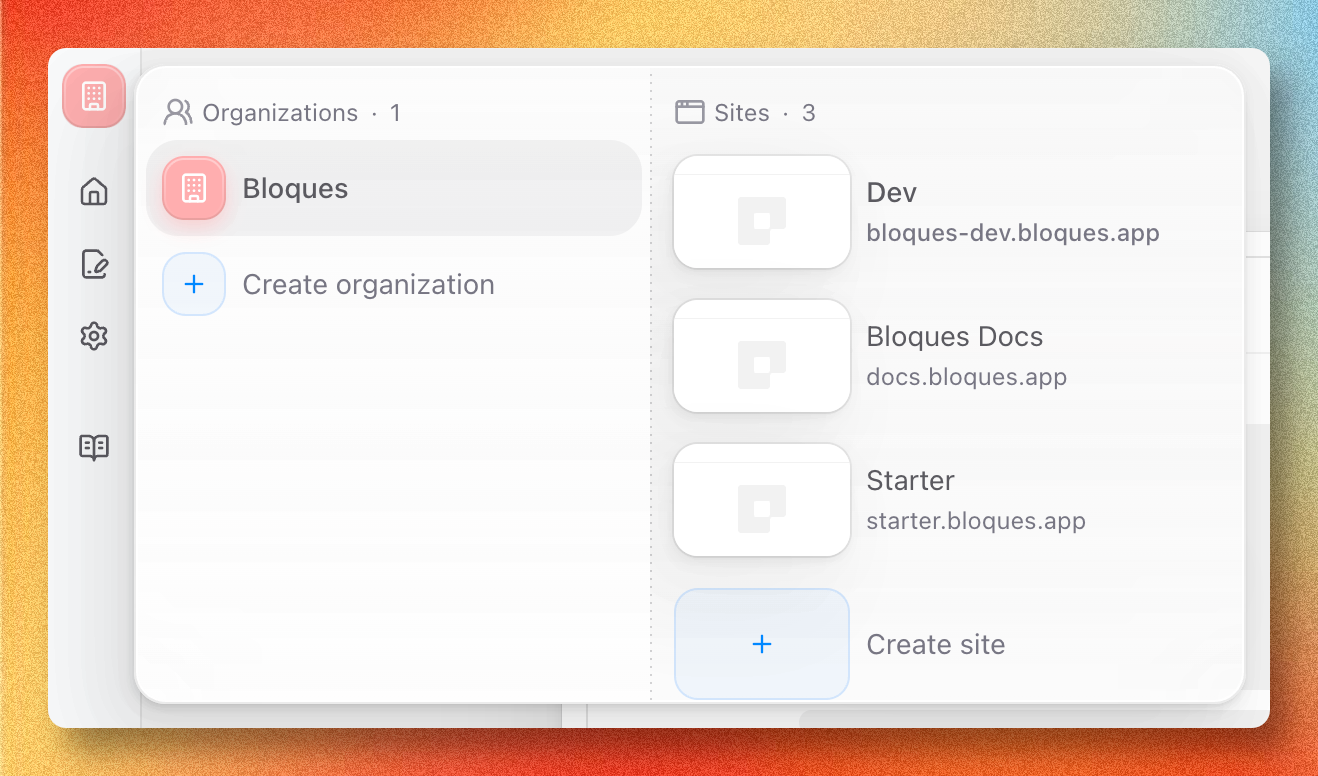
One account can belong to many organizations, for example one for your own projects and one for a team you joined by invitation. Switch between them from the organization dropdown in the dashboard. Each organization has its own sites, members, and GitHub App installation; nothing is shared across them.
Deleting an organization
Deleting an organization removes every site, member, invitation, and the GitHub App link in one shot. Only the Owner can delete. See the roles matrix.
Deleting an organization is permanent. Sites, content, and member access are removed and can't be recovered.