

MDX basics
Combine markdown and components in your Bloques pages.
Bloques pages are MDX files. MDX is markdown with components: write prose in plain markdown, then drop in a callout, card, or step block where the prose alone falls short. The page you're reading is an MDX file.
What MDX adds to markdown
A .mdx file accepts everything markdown accepts: headings, lists, links, code blocks, tables. On top of that, you write component tags inline, and they render as part of the page.
Bloques deploys every push to the default branch.

<Callout type="note">
  A working branch deploys only after its pull request merges.
</Callout>

The rest of the page continues as normal markdown.
Markdown carries the prose. Components carry the structure that prose can't: collapsible sections, navigational tiles, ordered procedures, side-by-side layouts.
When to reach for a component
Default to markdown. Reach for a component when the page needs:
- An aside the reader can skip (
<Callout type="note">,<Callout type="success">,<Callout type="warning">). - A navigational tile to another page (
<Card>). - A numbered procedure where order matters (
<Steps>,<Step>). - A collapsible section (
<Accordion>,<AccordionGroup>). - A multi-column layout (
<Columns>).
If a paragraph would do the job, write the paragraph.
Visual editor and raw MDX
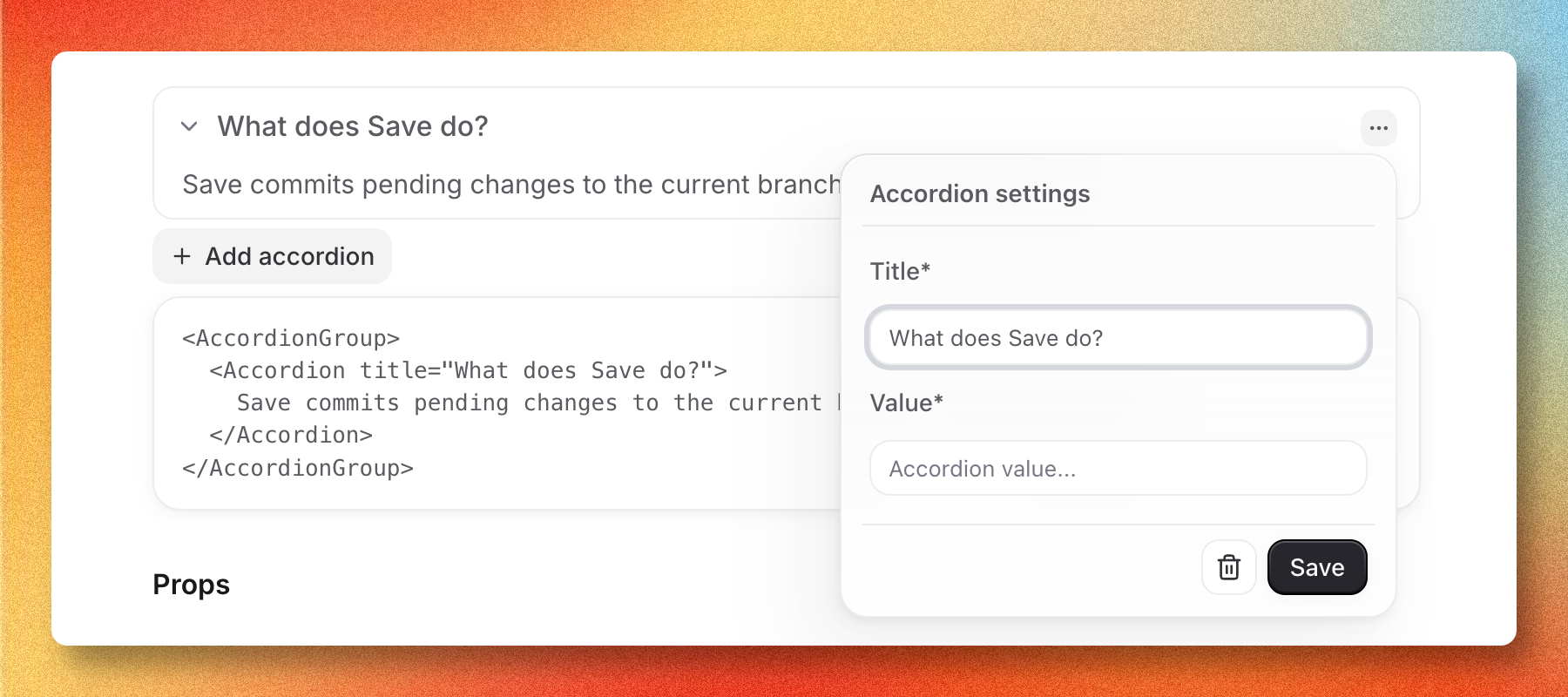
The Bloques editor opens the same .mdx file two ways. Visual mode renders each markdown block and component as an editable block. Source mode shows the raw MDX text. Edits in either mode write back to the same file on disk, so switching between them is safe.
Pick whichever fits the change:
- Visual mode for prose, headings, and inserting components from the slash menu.
- Source mode for bulk edits, frontmatter, and tweaking component props by hand.
For a tour of the editor itself, see the editor overview.
The component set is fixed
You can only use components that Bloques registers in the renderer. Custom components don't work: an unknown tag renders as an empty element, and the visual editor won't recognize it either.
The registered set covers callouts, cards, steps, accordions, columns, and icons. For the full list with props and examples, see Components.
A small example
Here's a page fragment that mixes markdown with two components:
## Deploy your site

Push to the default branch to deploy.

<Steps>
  <Step title="Commit your changes">Use **Save** in the editor.</Step>
  <Step title="Publish">Select **Publish** to open a pull request.</Step>
</Steps>

<Callout type="note">
  Deployments run in the background and take about a minute.
</Callout>
The headings and prose stay in markdown. The procedure and the aside use components. Both render on the same page.